Getting started
From nothing to a served request, then a tour of what you just installed.
Assumes you have at least one OpenAI-compatible inference server running — vLLM, SGLang, llama.cpp, Ollama, or a hosted provider's endpoint. This gateway sits in front of those; it does not run models itself.
1. Bring it up
git clone https://github.com/azrtydxb/Fastllm-proxy && cd Fastllm-proxy
docker compose up -d
That starts Postgres, applies the migrations, and runs --role all — control
plane and gateway in one process. Two ports:
| :4000 | the gateway. Point clients here |
| :4001 | the admin API and the management UI |
Nothing is configured yet: no models, no keys, and no way in. That is deliberate — there is no default password to forget to change.
2. Give yourself a login
docker compose exec fastllm fastllm-proxy set-password --name you --password 'change-me'
The first login created this way gets the admin role automatically. Every
later one has to be granted permissions explicitly, which is the point:
a password proves who is calling, not what they may do.
Open https://localhost:4001/ and sign in. Your browser will warn about
the certificate — it is self-signed unless you supplied one.
The five nouns
Everything below is one of these, and the relationships are the whole data model:
flowchart LR
    subgraph SERVE["what gets served"]
        M["<b>model</b><br/>a name clients ask for"] --> B1["<b>backend</b><br/>somewhere serving it"]
        M --> B2["<b>backend</b>"]
        VM["<b>frontend model</b><br/>a name with rules"] -.->|targets| M
    end
    subgraph WHO["who may ask"]
        PR["<b>principal</b><br/>a person or a service"] --> RO["<b>role</b>"]
        PR --> KY["<b>key</b> sk-…<br/>or a password"]
        RO -->|model:invoke| M
    end
A model may run at several providers at once; the same model on two hosts is one provider model with two backends, and the two form a pool the proxy chooses within. A principal holds roles; roles carry grants; a key is how a principal proves it is that principal. Nothing else needs explaining before the first request.
3. Add a model
A provider is somewhere that serves models — a vLLM host, an OpenRouter account. A provider model is one model, attached to every provider that serves it. Running the same model on two hosts gives one provider model with two backends: one name, one context window, and a price per provider, since the same weights cost different amounts at different vendors.
On Models, create one, then attach it to a provider:
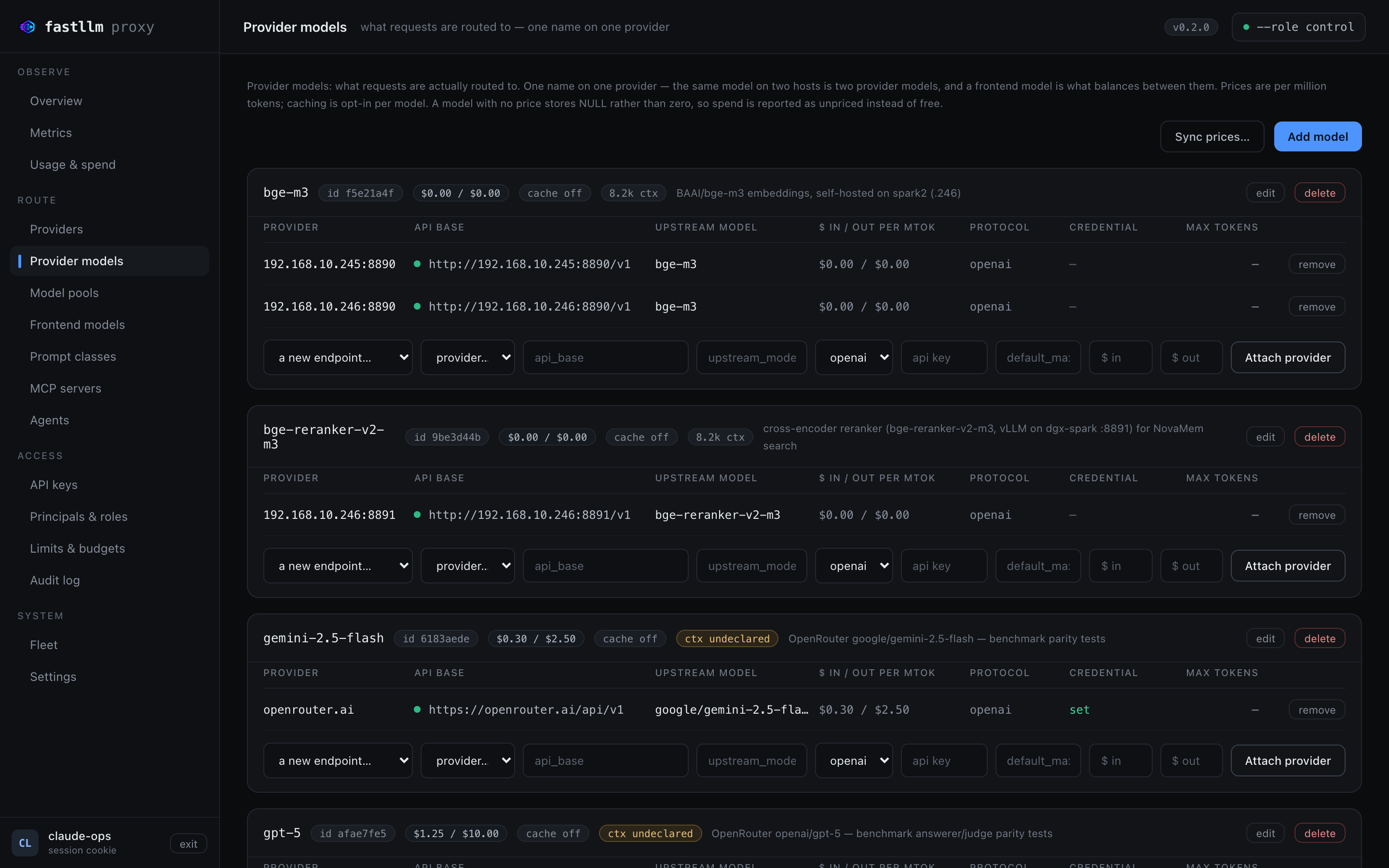
Each row shows what a client needs to know and what an operator needs to decide: the backends behind the name, whether a credential is set (never the credential itself), the price per million tokens, whether responses are cached, and the declared context window.
Or by API, if you would rather script it:
curl -sk -b /tmp/ck -X POST https://localhost:4001/admin/provider-models \
  -H 'content-type: application/json' -d '{"name":"my-model"}'          # -> {"id":N}

curl -sk -b /tmp/ck -X POST https://localhost:4001/admin/provider-models/N/backends \
  -H 'content-type: application/json' \
  -d '{"api_base":"http://localhost:8000/v1","upstream_model":"Qwen/Qwen3-8B"}'
4. Mint a key
Keys belong to principals — a person or a service — and a principal's roles decide which models it may invoke.
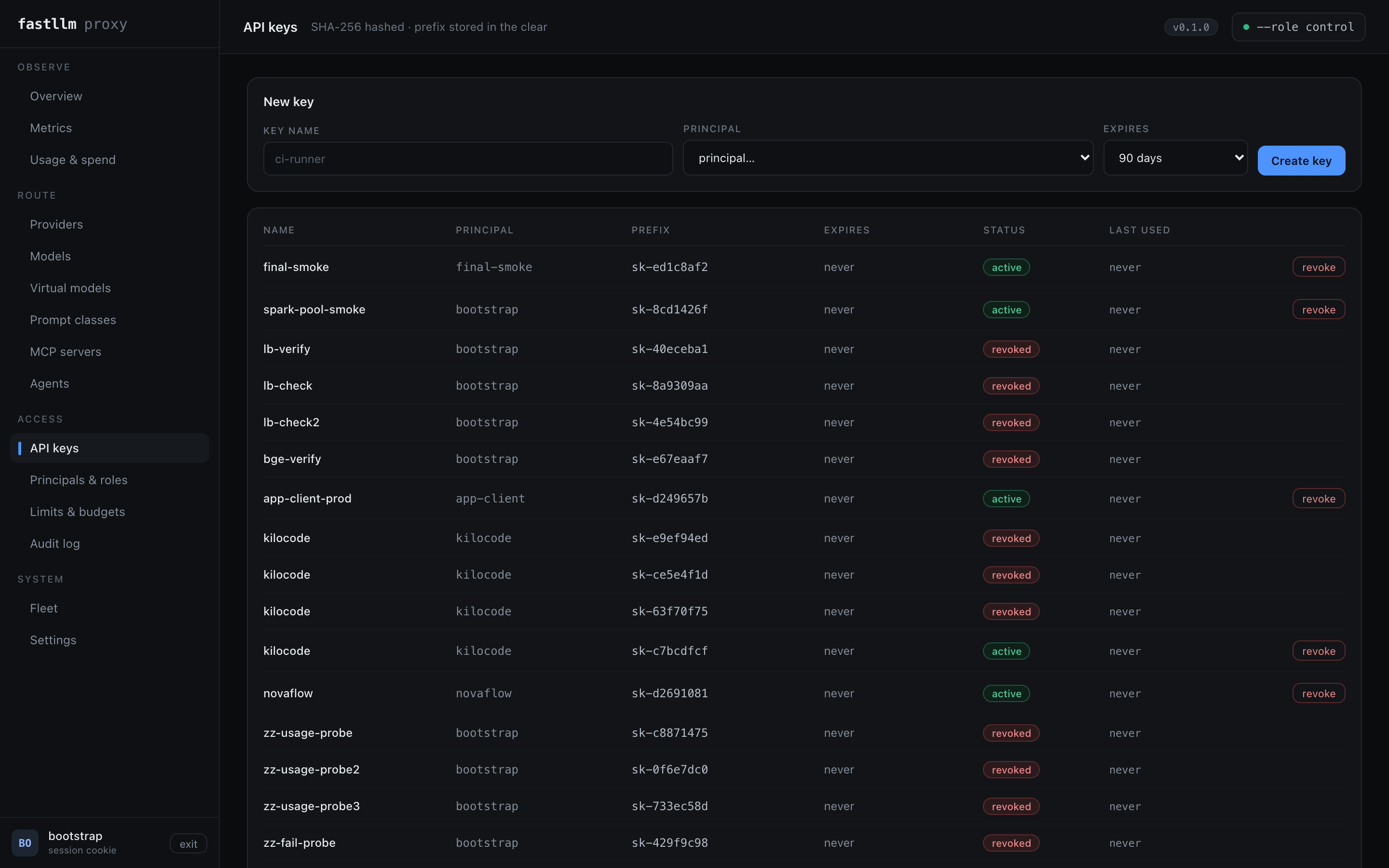
The plaintext is shown once and never again; only a SHA-256 hash and the prefix are stored. The expiry defaults to 90 days rather than never, which is the safer default and worth noticing before you wire it into something.
A new principal holds no grants at all, so its key authenticates and then gets
403 model_access_denied on everything. Give it a role on Principals &
roles first.
5. Make a request
curl http://localhost:4000/v1/chat/completions \
  -H "authorization: Bearer sk-..." -H 'content-type: application/json' \
  -d '{"model":"my-model","messages":[{"role":"user","content":"hi"}]}'
That is the whole integration for anything that speaks OpenAI. Point your SDK,
editor or agent at http://localhost:4000/v1 — see
Connecting a client for the exact config for the OpenAI
SDKs, five coding agents and four frameworks.
Already running LiteLLM?
Skip all of the above:
fastllm-proxy import --config litellm_config.yaml --database-url postgres://...
Models, backends, keys and each key's per-model grants come across. It is idempotent — re-importing an edited file converges rather than duplicating, and grants removed from the file are revoked. Your existing keys keep working against the same models they already had.
Where next
| A tour of the UI | Every screen, what it answers, and the one thing on it worth knowing |
| Connecting a client | SDKs, coding agents, frameworks, observability |
| Troubleshooting | The failures people actually hit |